
Consolidated listings
Fold an item's multiple in-stock locations into one listing on BrickLink and BrickOwl showing the combined quantity, so buyers see one listing while your bins stay separate.
If you keep the same item in more than one bin, BrickLink and BrickOwl normally show a separate listing for each bin. Consolidated listings folds those into a single listing that shows the combined quantity at one price. Buyers see one clean listing per item, and your physical bins stay separate so picking still works the way it always has.
What consolidation does
Say you have the same part in three bins. Without consolidation, BrickLink shows three listings for that part, each with its own quantity. With consolidation on, BrickPulse raises one of those listings (the keeper) to the combined quantity and holds the others back, so a buyer sees a single listing showing everything you have.
Nothing about your stock or your bins changes. Your quantities, locations, and history stay exactly as they were. The change is only in how the item is presented on BrickLink and BrickOwl.
Consolidation covers BrickLink and BrickOwl. BrickOwl works the same way as BrickLink: one keeper listing carries the combined quantity and the rest are held back. eBay already shows one listing per item, so it needs no equivalent.
Turn it on
Open Settings and find the Consolidated listings section.
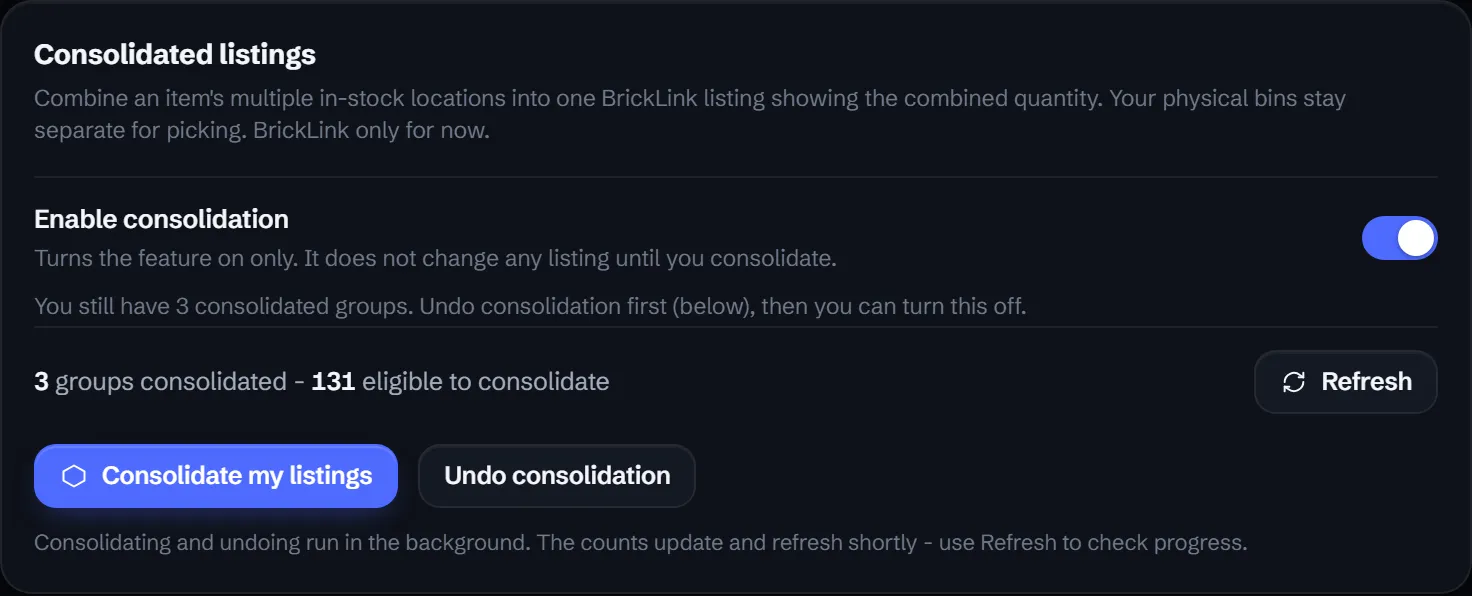
There are two steps:
- Turn on Enable consolidation. This only switches the feature on. It does not touch any listing by itself.
- Press Consolidate my listings to fold every eligible item into one listing on each channel.
Consolidation runs in the background, so the group counts update a moment after you start it. Use Refresh to check progress.
What changes
Once an item is consolidated:
- One keeper listing is raised to the combined quantity of all its locations.
- The other locations’ listings are moved to your stockroom, so they no longer show as separate listings.
- The price comes from the keeper lot. The other locations’ prices become a note only.
- On a sale, the pick list splits the sold quantity across your bins, so you still know exactly which bin to pull from.
- A lot with a public comment stays its own separate listing and is never folded in, so a buyer-facing note is preserved.
Undo consolidation
Consolidating is fully reversible. Press Undo consolidation to split each item back to one listing per location. If you want to turn the feature off, undo first, then flip the toggle.
Good to know
- Your Brick Pulse master inventory stays the source of truth. Consolidation changes presentation on BrickLink and BrickOwl, not your underlying lots. See Listing across channels.
- Only items with stock in more than one location are eligible, so a single-bin item is left exactly as it is.
- The keeper’s price governs the combined listing, so set the price you want on the keeper lot. See Editing a lot.
Does consolidation change my physical bins?
No. Consolidation only changes how your BrickLink listings appear. Your physical bins stay separate, so the pick list still tells you which bin to pull from when an item sells.
Which marketplaces does consolidation cover?
BrickLink and BrickOwl. BrickOwl works the same way as BrickLink. eBay already shows one listing per item, so it needs no equivalent.
Can I undo consolidation?
Yes. Use Undo consolidation to split each item back to one listing per location. Undo first if you want to turn the feature off.
What happens to a lot that has a public comment?
It stays its own separate listing and is never folded in, so a buyer-facing note on a specific lot is preserved.