
Inventory backups
Scheduled save-states of your whole inventory as downloadable CSVs, kept for 30 days, so you can roll back to a known-good state if something goes wrong.
Inventory backups are automatic save-states of your whole inventory, so if a bad import or bulk edit goes wrong you have a known-good state to fall back on. Each backup is a CSV of your inventory that you can download any time. Open it at Inventory → Backups.
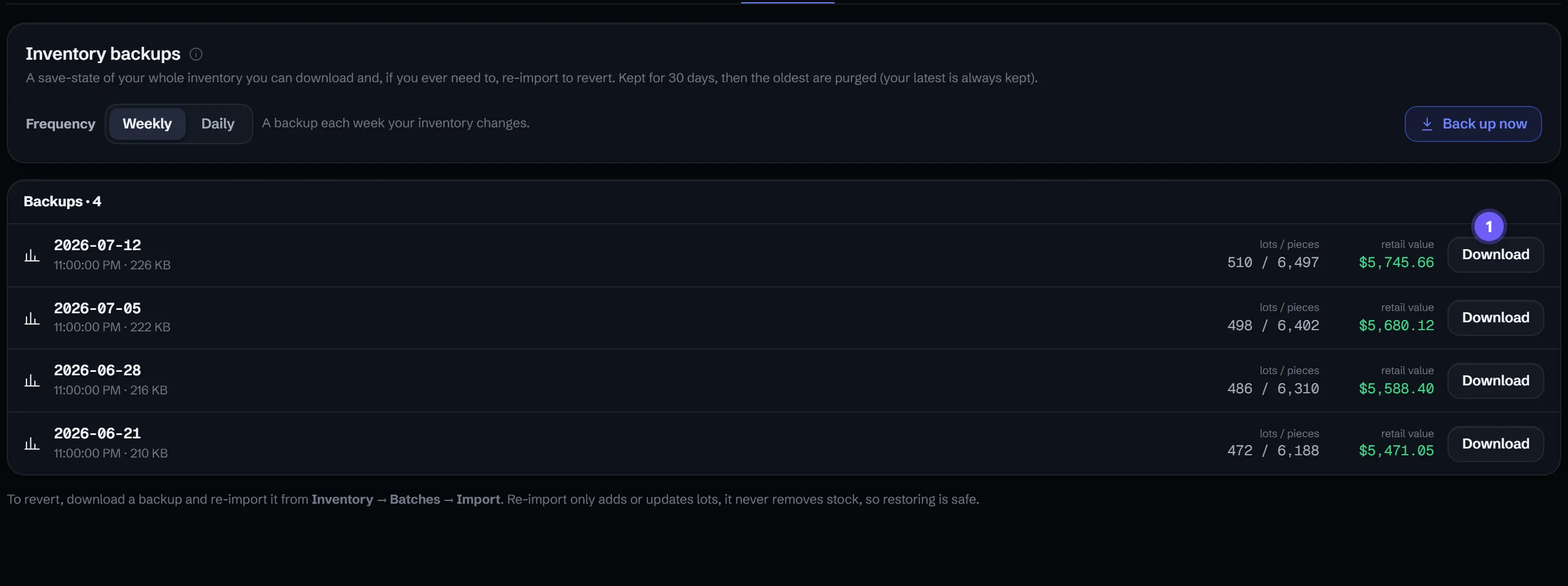
1 marks the Download button on each backup. The Weekly/Daily toggle sets how often a save-state is taken.
Choose how often it runs
Backups run automatically on a schedule you pick:
- Weekly (the default).
- Daily, if you take in or reprice inventory heavily and want a tighter safety net.
You can also press Back up now to capture a save-state on the spot, which is worth doing right before a big import, reprice, or cleanup.
What each backup shows
The list shows every backup you have on hand, each with its date, file size, lot and piece counts, and total retail value, plus a Download button. The counts and value make it easy to spot the backup from just before a change went wrong.
How long they’re kept
Backups are retained for 30 days. Past that, the oldest are purged automatically, and the most recent backup is always kept so you’re never left with none.
Restoring from a backup
Restore is a re-import, which keeps it safe and predictable:
- Download the backup CSV you want from the Backups screen.
- Re-import it from Inventory → Batches → Import.
Re-importing only adds or updates lots - it never removes stock, so bringing back an earlier state restores quantities and prices without wiping anything you’ve added since. For related ways to get your data out, see Exporting your inventory, and for undoing individual changes rather than a whole-inventory rollback, see Inventory history & undo.
How long are backups kept?
30 days. The oldest backups are purged past that window, and the most recent one is always kept.
How do I restore from a backup?
Download the backup CSV and re-import it from Inventory → Batches → Import. Re-importing only adds or updates lots - it never removes stock - so it's a safe way to bring back quantities and prices.
Is this the same as exporting my inventory?
It's related but automatic. Backups run on a schedule and keep a rolling 30-day history for you, whereas an export is a one-off file you generate yourself. Both produce a file you own.